SmartyMe: Micro Learning App
- 4.4
- Rating
- 1.00M
- Installs
- Free
- Price

 Analysis by App-foxy
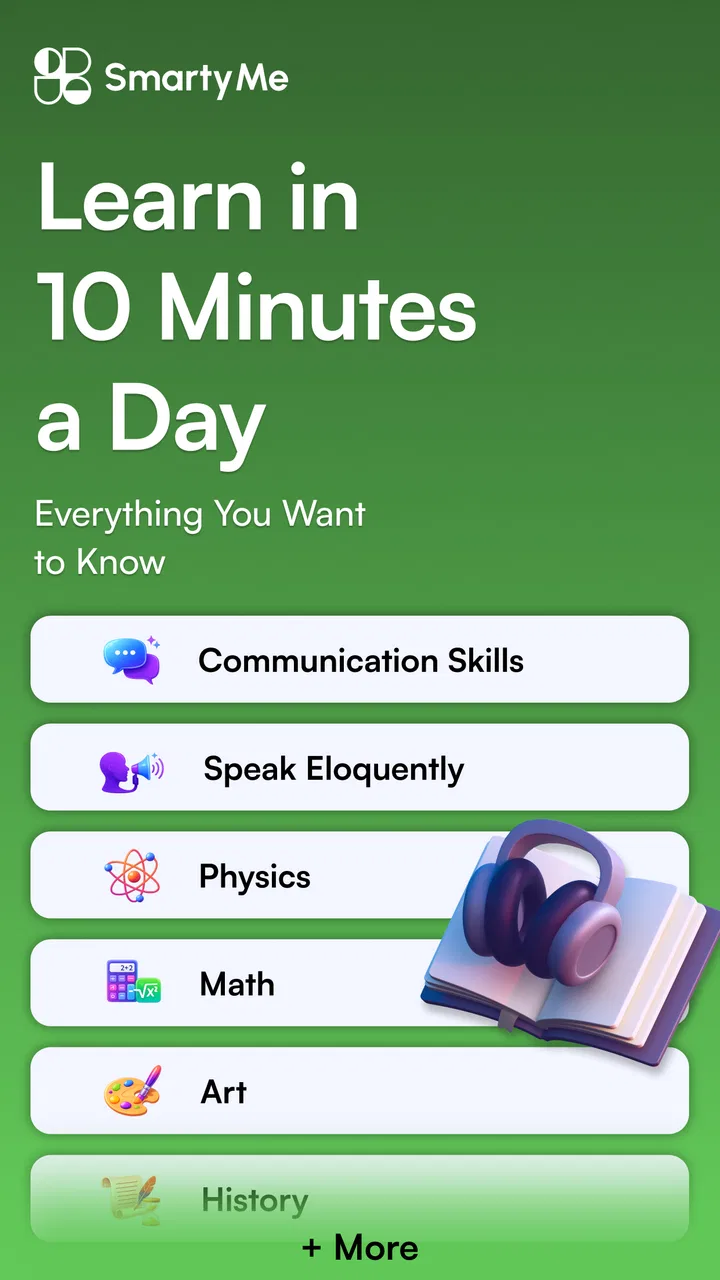
I approached SmartyMe: Micro Learning App as a small daily study tool rather than a replacement for a full course. That distinction matters. Its purpose is to turn spare minutes into short learning sessions around skills, communication, and productivity, so the experience makes most sense when you want a repeatable habit instead of a long lesson plan.
The app comes from Apextech Ltd and sits in the Education category. It is free to start, with optional in-app purchases ranging from $6.99 to $99.99 per item. I also found it more suitable for teenagers and adults than for young children, which matches its Teen content rating. The central appeal is simple: open the app, complete a compact learning activity, and leave with one idea that can be used during the day.
That sounds straightforward, but micro-learning apps live or die by small details. A lesson can be useful and still fail if opening the app feels confusing, progress is difficult to resume, or the material is too general for your goals. My experience with SmartyMe is that its value depends less on intense study and more on whether you build a realistic routine around it.
You May Also Like

 Blood Strike: 2.5 Anniversary
Blood Strike’s Loadouts Turn Every Drop Into a Tactical Gamble
A close look at Blood Strike’s custom loadouts: how fast access to signature weapons reshapes its battle royale rhythm, rewards preparation, and narrows the gap between fights.

 Pandora - Music & Podcasts
Pandora’s Music Is Easy to Start, but Harder to Recover
Pandora’s strength is its low-effort path from a seed to a station. Its weak spot is how much confidence it asks you to place in connection, setup, and quiet recovery.

 8 Ball Pool
 Is Built on Rivalries, Rematches, and Routine
A close look at the rivalries, rematches, shared routines, and unanswered safety questions that turn a quick pool match into a persistent mobile community.

 Samsung Music
’s Quiet Strength Is Playing What You Already Own
Its reach comes less from spectacle than from dependable access to a personal library. That simplicity is both the app’s strongest retention engine and its ceiling.

 AccuWeather: Weather Radar
AccuWeather Review: A Quick, Clear Forecast for Everyday Decisions
For everyday plans, the best forecast is the one you can understand quickly. AccuWeather makes rain timing, radar, and local conditions easy to act on, with a few trade-offs.

 Hill Climb Racing
Why Hill Climb Racing Still Turns Crashes Into One More Run
A tiny car, a bumpy hill and one more upgrade: Hill Climb Racing keeps resurfacing because its simple chaos makes every near-miss feel personal.
More From Our News Desk



What the first sessions reveal about the app
I found the first sessions most useful for spotting whether SmartyMe’s bite-sized format fits my day, rather than judging it by how many lessons I can complete. A good test is to choose one immediate need—such as making a work message clearer—and see whether a short lesson gives you an idea you can actually try. That practical test also helps set realistic expectations for the broader learning experience.
Where users are most likely to get stuck
The first point of friction is expectation. If you install SmartyMe expecting a structured academic curriculum, detailed textbooks, or a certificate-focused program, the short format may feel light. It is better understood as a stream of focused prompts and lessons that can support personal development. That makes it convenient, but it also means you may need to supply your own larger goal.
I would decide on that goal before opening the app repeatedly. For example, you might use it to improve workplace communication, become more organized, or collect practical ideas for managing a busy week. Without a target, it is easy to tap through lessons because they are available, then forget what you wanted to change.
A second sticking point is the difference between finishing a lesson and applying it. A short explanation can be easy to consume, but the benefit is usually delayed until you use the idea in a message, meeting, planning session, or personal task. I get more from SmartyMe when I write down one action immediately after learning something, even if that action takes only a minute.
The short format is particularly useful when your attention is limited. I can imagine using it while waiting for an appointment or during a quiet break, but I would not treat every spare moment as a good study moment. If you are tired, distracted, or rushing between tasks, you may remember very little. The app cannot turn background scrolling into meaningful learning by itself.
Setup checks that prevent avoidable frustration
Before judging the lessons, I recommend checking the basics. SmartyMe requires Android 7.0 or later, so an older device may be the real reason the installation or update does not go smoothly. On a compatible phone, make sure the app has finished installing before trying to open lessons repeatedly. A partial installation can look like an app problem when it is really a device or connection issue.
It is also worth opening the app when your connection is stable, especially during initial setup or an update. If a screen loads slowly, I would first close other demanding apps, switch between a reliable Wi-Fi connection and mobile data, and reopen SmartyMe once. Those are ordinary checks, but they often separate a temporary loading issue from a genuine problem.
Keep the current release in mind as well. The app is at version 2.24.0, and behavior can change after an update. If a button appears in a different place or a lesson screen looks unfamiliar, I would avoid assuming that something has been removed. First, finish the update, restart the app, and look through the visible menus again.
My most useful setup tip is to choose a fixed moment rather than relying on enthusiasm. A short session after breakfast, before commuting, or immediately after finishing work is easier to remember than “whenever I have time.” This does not require a complicated productivity system. It simply gives the app a clear place in your day.
Notifications can also become a source of friction if they interrupt you at the wrong time. If your device offers notification controls, use them to protect your concentration rather than allowing every reminder to compete with work or rest. A learning habit should be supportive; if reminders become irritating, you are more likely to dismiss the app entirely.
A workflow that makes short lessons more useful
I found that a three-step routine works better than opening the app without a plan. First, select a lesson that matches the kind of problem you are facing today. Second, complete it without multitasking. Third, translate the main idea into one small action. This approach prevents the session from becoming passive consumption.
For communication-related material, the action might be rewriting a message so the request is clearer. For productivity material, it could be choosing the next task before closing your laptop. For a broader skills lesson, it might mean testing one technique during a conversation. The important part is keeping the action small enough to complete the same day.
I would not try to cover every subject area in one sitting. The app is more manageable when you treat each session as a single decision: what do I want to improve right now? Jumping between unrelated lessons can feel productive while making it harder to notice progress.
Another practical habit is to keep a short note outside the app. Write the date, the lesson topic in your own words, and the action you intend to try. This gives you a personal record even if you later forget the exact wording of the lesson. It also lets you identify which topics genuinely help instead of relying on a vague impression that you are learning.
That note-taking step is one of the less obvious trade-offs of micro-learning. The app reduces the time needed to begin, but the learner still has to create continuity. If you want a complete study archive, a dedicated notes app or notebook will remain useful alongside SmartyMe.
Recovering when a session does not go as planned
If you leave a lesson halfway through, I would not immediately repeat the entire routine or assume your progress is lost. Reopen the app, check the lesson area you were using, and continue from the most recent visible point. If the screen behaves strangely, close the app fully and launch it again before trying more complicated fixes.
When content does not load, the safest sequence is simple: check the connection, wait briefly, restart the app, and then restart the device if necessary. I would avoid deleting the app as a first response, particularly if you are unsure how the app handles local progress. Reinstalling can create more uncertainty than it solves.
If an update is waiting, install it before spending time troubleshooting an older build. The same applies when the device is under heavy storage or memory pressure. Removing unused files, closing background apps, and making sure the operating system is responsive can help distinguish a general phone issue from an issue specific to SmartyMe.
Payment screens deserve a separate pause. Because the app is free with optional purchases, I would read each purchase screen carefully and decide whether the paid option matches your actual learning need. Do not treat an upgrade as a fix for a lesson that will not load or a screen that is behaving incorrectly. Technical recovery and purchasing are separate decisions.
If a lesson feels repetitive or too broad, recovery may mean changing your method rather than repairing the app. Try choosing a more specific topic, completing one lesson at a different time of day, or pairing the idea with a real task. Sometimes the problem is not that the material is unusable; it is that the session has no clear connection to your life.
When the app is not the cause
Many complaints about learning apps are really routine problems. If you open SmartyMe only when you are exhausted, the lessons may seem shallow because your attention is already gone. If you expect a single short activity to solve a complicated skill gap, the experience may feel disappointing for a fair reason. Learning still needs repetition, practice, and feedback.
The app is also not the best answer for every educational goal. Someone preparing for a formal exam, studying a technical subject in depth, or needing instructor correction will probably do better with a dedicated course, textbook, or tutor. SmartyMe can supplement that work with quick reminders, but I would not make it the only resource for a demanding qualification.
Likewise, people who dislike guided bite-sized content may prefer long-form podcasts, books, or structured video courses. The convenience of short lessons comes with a loss of depth. You get a manageable entry point, not the same context and detail that a full lesson can provide.
On the other hand, traditional alternatives have their own weakness: they can be difficult to start. A large course may offer more complete coverage but require a clear block of uninterrupted time. SmartyMe is more appealing when the main obstacle is getting started, particularly for someone who wants a gentle daily prompt instead of another major commitment.
Who will get the most from SmartyMe?
I think the best fit is a busy learner who wants practical ideas in small portions and is willing to apply them outside the app. It can suit a student building general study habits, a professional trying to communicate more clearly, or anyone who wants a lightweight way to think about productivity during the week.
It is also a reasonable option for people returning to learning after a long break. The short sessions lower the psychological barrier of opening a large course. Starting with one lesson can feel less demanding than promising yourself an hour of study every day.
I would be more cautious if you need measurable mastery, detailed explanations, or a fixed progression through a subject. The app’s broad personal-development focus is a strength for variety, but a weakness when you need a narrow syllabus. In that situation, use it as a supplement or choose a specialist platform instead.
Age is another consideration. With a Teen rating, I would not select it as an unsupervised learning environment for a young child. A teenager may find the themes more relevant, while younger learners may need content designed specifically for their reading level and educational stage.
How the free model affects the decision
The free entry point makes it easy to test whether the format fits your routine before spending money. I would use that opportunity deliberately: try the app during several different kinds of days, not just on the first enthusiastic evening. Notice whether the lessons lead to actions you remember and whether the available material feels relevant to your goals.
Optional purchases between $6.99 and $99.99 per item create a wide range of possible spending, so I would avoid making a decision based on a single attractive screen. Consider the frequency with which you expect to use the app and whether the paid material addresses a clear gap. If you only want occasional inspiration, the free experience may be enough; if you are seeking a larger collection, examine the purchase details carefully before confirming anything.
This is also where SmartyMe differs from a conventional book. A book gives you a known body of content once you buy it, while an app encourages repeated visits and may present learning in a more casual way. The app is convenient, but the long-term value depends on continued use. Paying does not remove the need for a habit.
What the current version and audience suggest
SmartyMe has a 4.4 average from around 12 thousand ratings, with over 100 thousand installs. Those figures suggest that the concept has attracted a meaningful audience, but they should not replace your own test of the format. A popular micro-learning app can still be the wrong match if you prefer depth, quiet reading, or formal instruction.
The app was released on November 9, 2024, and its current version is 2.24.0. I mention this because a relatively recent app can still feel like a work in progress from a user’s perspective: layouts may evolve, and your preferred workflow may change after updates. I would keep expectations practical and judge it by whether it helps you complete useful learning sessions consistently.
The developer, Apextech Ltd, has positioned the product around everyday growth rather than a single professional discipline. That broad scope is helpful when you want to explore communication and productivity together. It is less helpful when you already know exactly which specialist skill needs attention.
My practical verdict after using the format
The real strength of SmartyMe is not the promise of learning more; it is making a small learning action easier to begin. When I connect a lesson to something happening that day, the format feels efficient. A communication idea can influence the next email, and a productivity idea can shape the next planning decision. When I open it without a purpose, the benefit becomes much less noticeable.
I would recommend trying it if you want a free starting point for daily micro-learning, especially if long courses tend to remain unfinished. Set a modest routine, keep a note of actions, and give yourself time to decide whether the lessons are changing what you do. Those steps reveal its value more accurately than simply counting completed screens.
I would skip it, or use it only as a supplement, if you need a rigorous curriculum, expert feedback, or deep coverage of one subject. In those cases, a specialist course or human teacher is the better main tool. SmartyMe is at its best as a compact companion: useful between larger commitments, easy to revisit, and practical when you turn each lesson into a real-world experiment.
Overall, I see it as a sensible Education app for people who want a low-pressure way to keep learning. The free access lowers the risk of trying it, while the optional purchases mean you should review upgrade screens thoughtfully. If you approach it as a daily prompt rather than a complete education system, SmartyMe: Micro Learning App can earn a useful place in your routine.
FAQs for SmartyMe: Micro Learning App
01What is SmartyMe: Micro Learning App?
SmartyMe is a mobile application designed to deliver quick, digestible learning modules across various subjects. It focuses on micro-learning, providing users with bite-sized lessons that can be completed in just a few minutes. This approach allows users to learn efficiently and effectively, making it ideal for those with busy schedules.
02How does SmartyMe ensure the quality of its content?
SmartyMe collaborates with experts and educators to curate high-quality content. Each lesson is crafted to meet educational standards and is regularly updated to ensure accuracy and relevance. Users can rely on the app for trustworthy information across a wide range of topics.
03Is SmartyMe suitable for all age groups?
Yes, SmartyMe is designed to cater to learners of all ages. The app offers a variety of topics suitable for different educational levels, from young students to adult learners. Users can select content that matches their interests and learning needs, making it a versatile tool for lifelong learning.
04Does SmartyMe require an internet connection to use?
While some features of SmartyMe might require an internet connection, such as downloading new content and accessing community features, users can download lessons for offline use. This makes it convenient for learning on the go, even in areas with limited internet access.
05Are there any subscription fees associated with SmartyMe?
SmartyMe offers a freemium model, providing a range of free content with the option to subscribe for premium features. The premium subscription includes access to exclusive lessons, ad-free learning, and personalized learning paths. This provides flexibility for users to choose a plan that suits their budget and learning goals.
Pros
- Interactive and engaging content format.
- Wide range of topics available for learning.
- User-friendly interface with smooth navigation.
- Personalized learning paths enhance experience.
- Offline access for learning on the go.
Cons
- Limited content depth for advanced users.
- Requires internet for initial content download.
- No option for peer interaction or forums.
- Ads can be intrusive in the free version.
- Limited language options available.

SmartyMe: Micro Learning App
Gallery